NPM - Node Package Manager
Installing NVM (Node Version Manager) on Windows
Manage multiple installations of node.js on a Windows computer.
https://github.com/coreybutler/nvm-windows
Releases: https://github.com/coreybutler/nvm-windows/releases
Manually Manage Node Versions
There may be cases where you are unable to use NVM or when installing a particular version of NodeJS doesn’t work. Use this method to manually point to a specific version of NodeJS.
Download a Version of NodeJS
Download a particular packaged version of NodeJS from the site below (e.g. node-v16.4.0-win-x64.zip).
https://nodejs.org/en/download/releases/
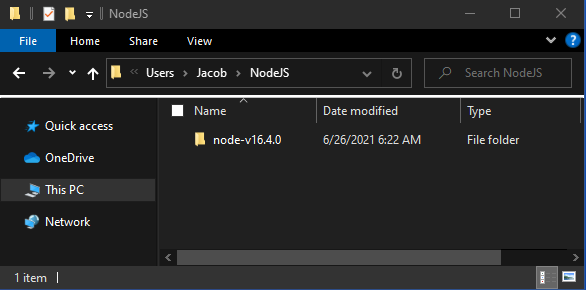
Unzip the Package
Place in a common directory (e.g. “C:\Users\Jacob\NodeJS”)
Manually Update Path
Use the following command to manually add the NodeJS version to the Path in Windows PowerShell. This will only adjust the Path variable for the single Windows PowerShell session.
$env:Path = "C:\Users\Jacob\NodeJS\node-v16.4.0;$env:Path"
Common Actions
List globally installed packages
npm list -g --depth 0