Styling
Per the React docs, React does not have an opinion about how styles are defined; if in doubt, a good starting point is to define your styles in a separate *.css file as usual and refer to them using className.
https://reactjs.org/docs/faq-styling.html
References
Inline Styles
https://reactjs.org/docs/dom-elements.html#style
// Example from React docs
const divStyle = {
  color: 'blue',
  backgroundImage: 'url(' + imgUrl + ')',
};

function HelloWorldComponent() {
  return <div style={divStyle}>Hello World!</div>;
}
You can set inline styles to dynamically change styling but setting the className attribute is preferred.
CSS Modules
When using CSS modules, you can include a CSS file next to your component JS file.
Naming Convention: [ComponentName].module.css
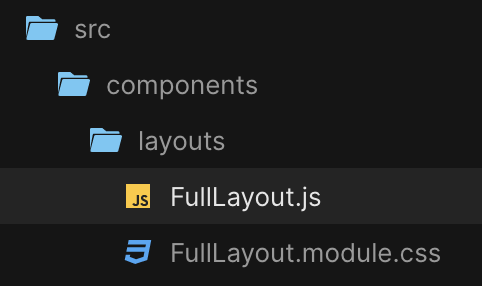
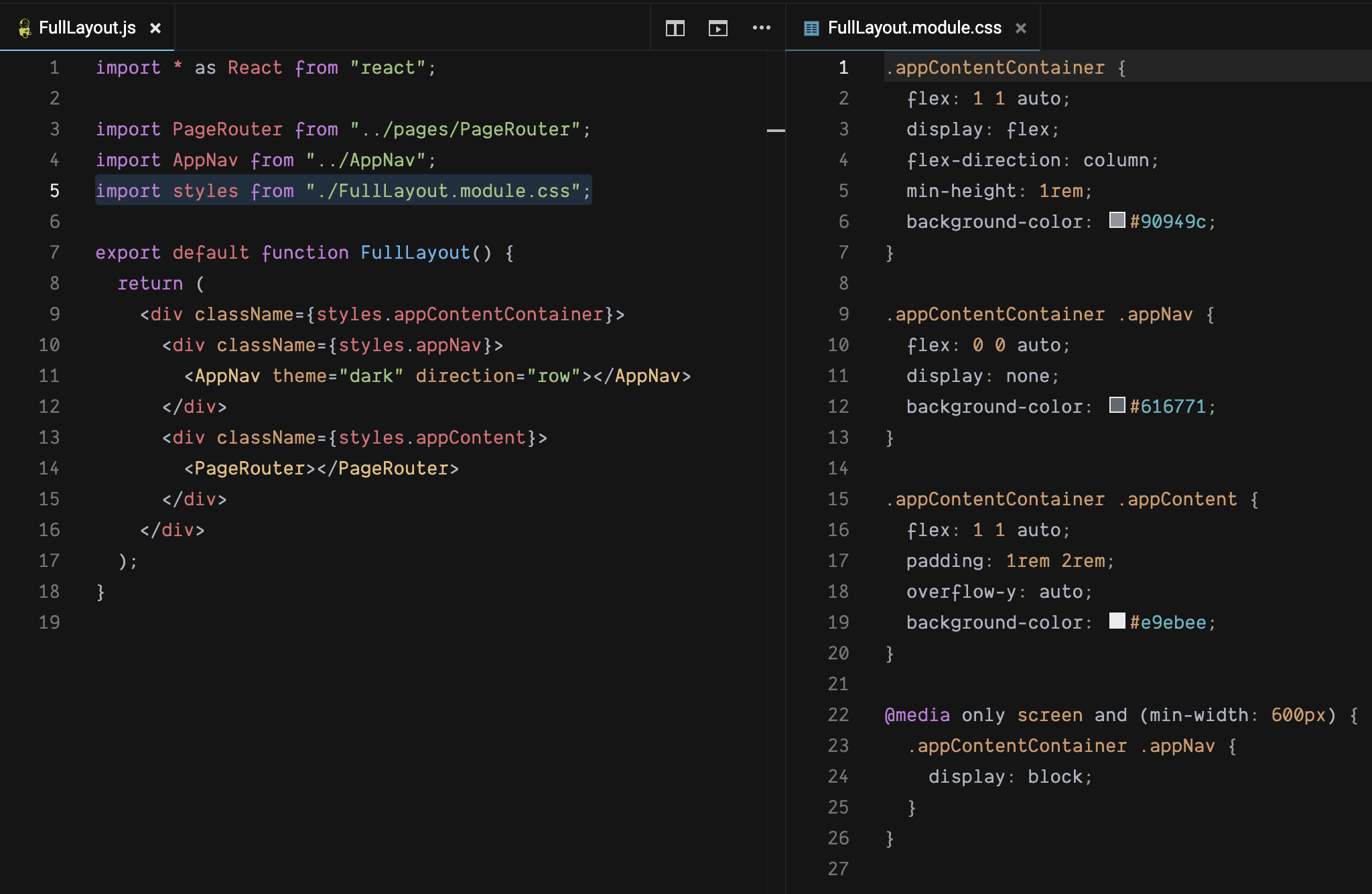
Simply import the CSS module into the component and refer to the selectors like shown below.
<div className={importName.selectorName}></div>
References
Styled Components
Styled Components allow you to write plain CSS in your components without worrying about class name collisions. The CSS is scoped to a single component.
Setup
npm install styled-components
Import the module into a component
import styled from 'styled-components'
Example
// Example from https://flaviocopes.com/styled-components/
const Button = styled.button`
  background: ${props => (props.primary ? 'black' : 'white')};
  color: ${props => (props.primary ? 'white' : 'black')};
`

render(
  <div>
    <Button>A normal button</Button>
    <Button>A normal button</Button>
    <Button primary>The primary button</Button>
  </div>
)